Deposition summaries are one of the slowest jobs in litigation. GenAI inside your review platform can turn hours of reading into minutes, with citations your team can check.
AUSTIN, TX | October 2026
The fastest way to summarize a deposition is to stop reading it front to back. Give a GenAI assistant inside your review platform the transcript and one clear question. Ask for a summary grouped by topic, with page and line numbers for every point. Then verify the passages that matter. The reading takes minutes, and the judgment stays with you.
Why Does Summarizing a Deposition Take So Long?
A deposition summary is slow because the useful testimony is scattered. A witness may touch the key issue on page 14, drift away for 60 pages, and come back to it on page 112. To capture it, someone has to read the whole transcript, flag every relevant passage, and record page and line references by hand.
That work usually lands on a paralegal or junior associate. On a matter with several depositions, it can take days before the trial team sees a single summary. And the summary often answers the wrong question, because it was written before the team knew which issues mattered most.
What Does a Usable Deposition Summary Need?
A summary is only useful if the trial team can trust it and act on it. That means four things:
- Organized by issue, not by page. Testimony on one topic sits together, even if it came up at different points in the day.
- A page and line citation on every point. Without citations, nobody can check the summary or use it in a brief.
- Chronological order. Following the order of events makes gaps and contradictions easier to spot.
- Written for the case question. A summary for a contamination claim should pull different testimony than one for a damages claim.
The manual process can deliver all four. It just takes hours per transcript to do it.
Why Not Paste the Transcript Into ChatGPT?
Because the transcript leaves your control. A consumer AI tool sits outside your review platform, so you have to export confidential testimony to use it. Depending on the tool’s data terms, your input may be retained or used for training. That raises confidentiality questions under ABA Formal Opinion 512 and can create privilege risk. The answer also comes back disconnected from the document, so checking it means going back and forth between two systems.
How Does Lexbe CoPilot Summarize a Deposition?
Lexbe CoPilot is a GenAI assistant built into the Lexbe eDiscovery Platform. You open the transcript in Lexbe’s Document Viewer and type your request in plain language. CoPilot reads only that document and returns a structured summary in the same window you already review in.
Here is a real prompt from an environmental case, used in Lexbe’s CoPilot training:
Sample prompt (single document)
We are preparing for trial in environmental litigation involving the NECC site in Centredale, Rhode Island. The key issue is historical contamination or pollution that may have occurred during the 1960s at the facility. Please review the transcript and prepare a summary of the testimony related to activities that may have led to contamination during that time. Group the summary by topic (bold the topic heading). Under each topic, list key testimony points as bullet points. Include page and line numbers for each bullet. Organize the summary in chronological order, and be thorough.
That one prompt asks for all four things a usable summary needs: issue focus, topic grouping, citations, and chronological order. The result is a draft your team can check against the transcript in one pass, instead of re-reading 200 pages to find the ten minutes that matter.
Is the Case Data Safe?
Yes. CoPilot works inside your Lexbe environment, so nothing is exported to an outside AI tool. It reads only the document you open, not the rest of the case and not other cases. And it runs with zero data retention: the GenAI model does not store your data or use it to train.
Does This Replace the Reviewer?
No. CoPilot drafts the summary, and a person verifies it. The page and line citations are what make that verification fast. The same pattern applies across review work:
- Contract comparison: what changed between two versions, and who each change favors.
- Financial records: every transfer across a set of bank statements, in one table.
- Medical records: a dated treatment history with links to the source records.
- Privilege and issue triage: a reasoned first read, with the coding decision left to the reviewer.
In each case, CoPilot advises and the reviewer decides.
See It Live on October 28
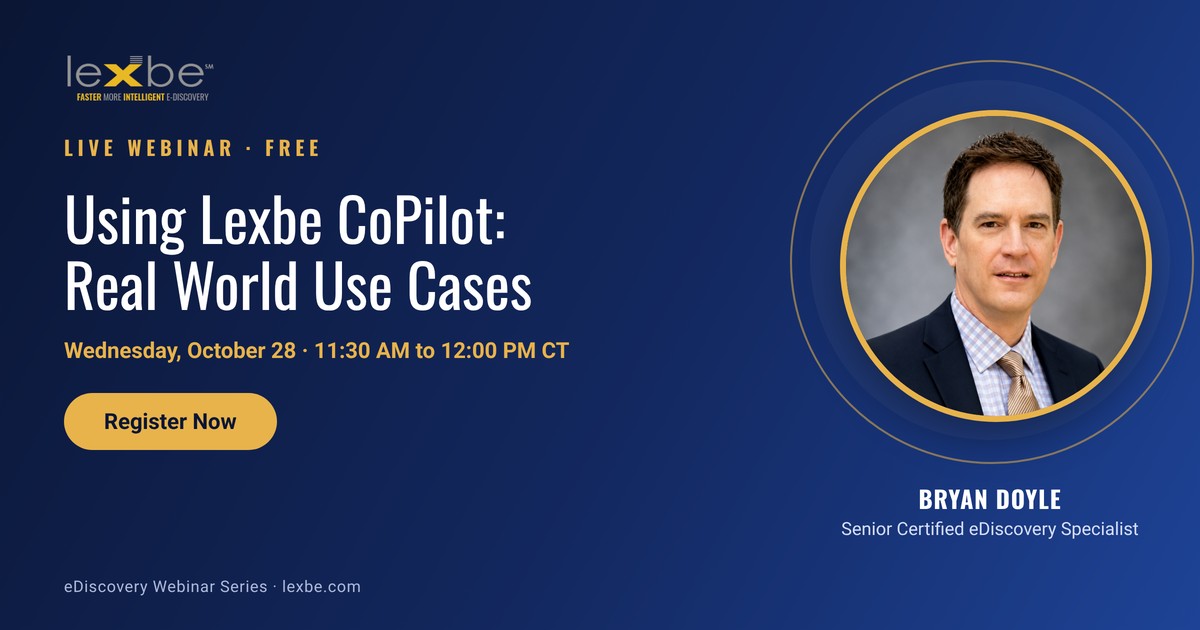
How to Use Lexbe CoPilot to Get Answers From Your Case Documents in Minutes
Wednesday, October 28, 2026, 11:30 to 12:00 PM Central (12:30 to 1:00 PM Eastern)
In 30 minutes, Bryan Doyle, Senior Certified eDiscovery Specialist at Lexbe, will run this deposition prompt and four others on real documents. You will see exactly what to type and exactly what comes back. Registration is free, and every registrant gets the recording.
Frequently Asked Questions
How long should a deposition summary be?
Long enough to cover every issue the trial team cares about, and no longer. A topic-based summary with cited bullet points is usually far shorter than a page-by-page digest, because it skips testimony that does not bear on the case.
What is the difference between a page-line summary and a topical summary?
A page-line summary follows the transcript in order and notes what was said on each page. A topical summary groups testimony by issue. Topical summaries are faster to use at trial, and CoPilot can produce either one from the prompt you write.
Can AI summarize a deposition accurately?
It can produce a strong first draft in minutes. Ask for page and line numbers on every point, then check the key passages against the transcript before relying on them.
Does Lexbe CoPilot train on my transcripts?
No. CoPilot uses zero data retention. The GenAI model does not store your data or use it to train.
How do I turn on Lexbe CoPilot?
Ask your Client Success Manager. Lexbe’s Professional Services Team enables it at no charge, and once it is on, it works in all of your Lexbe cases with nothing to install.
Related Resources
- Generative AI eDiscovery Resource Center: guides, webinars, and product pages on GenAI for litigation teams.
- Lexbe CoPilot GenAI now included at no additional cost: what CoPilot is and how it is enabled.
- How to Cut Document Review Time 70% with GenAI: watch the replay on AutoPilot and first-level review.
- How to Use Gen AI in eDiscovery: a practical webinar on prompts, validation, and workflow.
- Get a Lexbe demo: see CoPilot working in your own review workflow.
About Lexbe
For over 19 years, Lexbe has helped attorneys win cases with a highly affordable, full-featured, and lightning-fast eDiscovery platform. Lexbe’s GenAI-powered capabilities include Lexbe Pilot, Lexbe CoPilot, and Lexbe AutoPilot, backed by CEDS-certified eDiscovery specialists, expert consultants, and a digital forensics lab. Learn more at lexbe.com.
This article is general information and is not legal advice.